Home » Learning Curve
The Wizards of OS X™Today you can buy anything. But that doesn't mean you really want to.
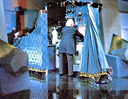
Dorothy pulls back the curtain to reveal the Wizard at the controls. He reacts as he sees Dorothy. Dorothy questions him. The Wizard starts to speak into the microphone, then turns weakly back to Dorothy. Camera pulls back slightly as the Lion, Scarecrow and Tin Man enter and stand behind Dorothy...
- Noel Langley/Florence Ryerson/Edgar Allen Woolf, cutting continuity script taken from printer's dupe 15 March 1939)
OS X software websites are riddled - polluted - with 'Wizard of Oz' apps that do little more than hide charlatans behind curtains. They look like magic but they only look like it - they give you precious little you don't already have.
Their only possible allure lies in you not knowing you already have it.
Here They Come
The 'web revolution' of 1995 saw a great number of 'Unix' utilities hit the Microsoft Windows market. All were based on freely available Unix code put in a Windows GUI context. Several of these apps carried a hefty price tag. Customers thought they were getting something fantastic. All they were getting was free Unix source in an MFC wrapper. But at least the code was real code, at least some effort had to be put into integrating things and making them work.
Not so with the apps of the Wizards of OS X. They're a breed apart. They prey on the feeble-minded in a microcosmos where 'feeble-minded' is regarded as a good thing.
Following are some of the application domains known to be invaded by the Wizards of OS X.
System Optimisers
 Most of the system tweakers and optimisers do little more than give you back your 'defaults' command line tool with a few undocumented 'secret' settings. Equipped with these settings, you're able to accomplish all they can and more, but the wizards are not going to tell you how easy it really is. They want your money. For something you already have for free. Most of the system tweakers and optimisers do little more than give you back your 'defaults' command line tool with a few undocumented 'secret' settings. Equipped with these settings, you're able to accomplish all they can and more, but the wizards are not going to tell you how easy it really is. They want your money. For something you already have for free.
The only truly 'honest' utility in this category is TinkerTool by Marcel Bresink. Marcel's authored several books in German on using OS X and he attacks the issue with real Cocoa code. He doesn't have to but he does: he uses the Cocoa NSUserDefaults class.
The rest of these products wrap eminently simple command lines, only adding to the bulk and misery you have to deal with. Learning how easy it really is to do these things without the aid of further downloads or a dent in your credit card balance can be a welcome liberation.
Document Shredders
 There are real document shredders out there, but at least on the OS X platform they're few and far between. There are real document shredders out there, but at least on the OS X platform they're few and far between.
A number of so-called 'shredders' are only invoking your own OS X command line tool 'rm' with the special '-P' switch to 'purge' files targeted for deletion or using 'srm' with its feeble overwrite scheme: they overwrite files a few perfunctory times before unlinking them - something that hardly constitutes 'shredding' and something you can already do without their aid. And 'srm' will even operate recursively - something not to be recommended.
But still: it's not good enough for professional use, it may be good enough for home use, in such case you hardly need more products than you already have.
To read about the distinction between the half-baked shredding the Wizards of OS X offer and the real thing, pick up on the 'Secure Delete Hoax' and be sure to get Peter Gutmann's USENIX paper on securing magnetic media.
What You Can Do About It
 Without an in-depth knowledge of the operating system it's difficult to see what's smoke and mirrors and what is real computing. That's what the wizards are counting on. A bit of scepticism on your part can go a long way. Without an in-depth knowledge of the operating system it's difficult to see what's smoke and mirrors and what is real computing. That's what the wizards are counting on. A bit of scepticism on your part can go a long way.
You can always consult the software reviews at this site - in particular this section - to see if you've happened upon something similar. Don't trust the pundits at the major sites - they know nothing.
Sometimes you can pluck apart application packages and find AppleScript within - in such case you can load them into the AppleScript editor and see if they pull the old 'do shell script' trick to invoke Unix command line tools you already have.
You can drop the executable on Xstrings and see how many times you encounter the string 'defaults' or other common Unix commands.
Cost: free is free and good nontrivial software must cost something. The Wizards of OS X will on the other hand often use the tack 'please donate to keep this great product free'. Don't donate - don't even use. Run for the hills instead.
A well engineered program will be small: Cocoa with Objective-C is quite reasonable in its use of disk footprint; other methods consume far more space and bring your download up in the megabyte range or beyond.
Other 'apps' simply hide shell scripts inside their bundles and sometimes go so far as to disguise their presence by zipping them up and using misleading names and file extensions to keep you off the scent. But they're there still the same.
Don't be bamboozled. Your system is complete as is. Beware the Wizards of OS X.
Generally speaking, the size of a download is inversely proportional to its quality and merit.
See Also
 Rixstep Software Reviews: The Very Ugly Rixstep Software Reviews: The Very Ugly
Rixstep Learning Curve: The Secure Delete Hoax
Rixstep Learning Curve: Defaults
ACP: Xstrings Homepage
Rixstep FTP: Peter Gutmann: Securing Magnetic Media
Rixstep Software Reviews: Cocktail: Arsenic & Other Laces
Rixstep Software Reviews: BatChmod 1.37
Rixstep Software Reviews: Hidden Files Widget 2.0
Rixstep Software Reviews: DriveGauge 3.2 |